Reviews Electronics TV & Streaming
Your smart TV's apps feel slow? A $30 to $129 streaming device fixes it
Roku, Amazon, Google and Apple streamers compared, from a $30 starter stick to a premium 4K box.
 BuyWithVoltTop Pick2026
Photo: Basile Morin / Wikimedia Commons, CC BY-SA 4.0
Built-in smart TV software often gets slow, cluttered and abandoned by the manufacturer after a few years. A dedicated streaming device is the cheapest way to make an old or sluggish TV feel new, with faster menus, better remotes and every major app.
We compared 12 streaming devices from Roku, Amazon, Google and Apple. We researched video format support, remotes and smart home features, read independent reviews and owner feedback on speed, ads and reliability, and tracked how often each goes on sale. Five devices cover every budget and ecosystem, from a $30 HD stick to a premium 4K box.
Our top picks
-
Best streaming device overall
Roku Streaming Stick 4K
$49 at AmazonJump to details -
Best for Alexa households
Amazon Fire TV Stick 4K Max (2nd Gen)
$59 at AmazonJump to details -
Best premium streaming device
Apple TV 4K (3rd Gen)
$129 at AppleJump to details -
Best for Google users
Google TV Streamer
$99 at Best BuyJump to details -
Best budget streaming device
Roku Express
$29 at WalmartJump to details
Prices at time of writing and may change. We may earn a commission when you buy through these links.
Best streaming device overall
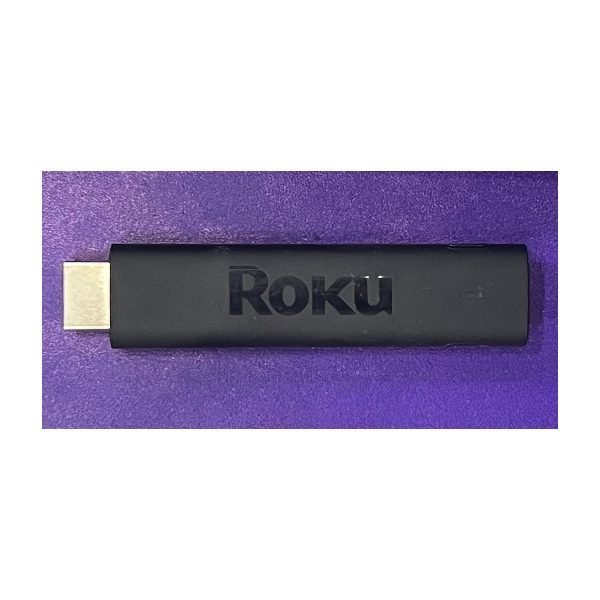
Photo: TaurusEmerald / Wikimedia Commons, CC BY-SA 4.0
The Roku Streaming Stick 4K is our pick for most people because it's easy to use and doesn't push one company's shows over another. Roku's home screen is a simple grid of apps, and the search covers many services at once. It supports 4K, HDR10+ and Dolby Vision, and owners report steady Wi-Fi performance thanks to its long-range receiver. The voice remote is simple enough for anyone. It lacks an Ethernet port and the extra polish of pricier boxes, and Roku does show ads on the home screen. For a fast, no-fuss upgrade, it's hard to beat.
Pros
- Very easy to use
- Neutral app layout
- 4K with Dolby Vision
Cons
- Ads on home screen
- Fewer premium features than Apple TV
Specs
| Resolution | 4K |
|---|---|
| HDR | HDR10+, Dolby Vision |
| Remote | Voice remote |
| Form | Stick |
Best for Alexa households
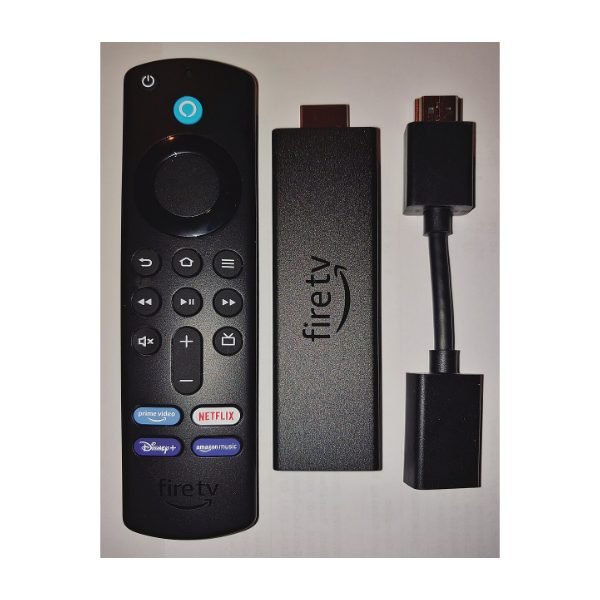
Photo: Rup / Wikimedia Commons, CC BY-SA 4.0
The Fire TV Stick 4K Max (2nd Gen) is one of the quickest streaming sticks available. It supports Wi-Fi 6E for stronger connections on newer routers, and it handles 4K, Dolby Vision, HDR10+ and Dolby Atmos. Alexa voice control works well, and it can show camera feeds from Ring doorbells and control smart home gear. Ambient Experience turns your TV into an art or photo display when idle. The interface leans heavily on Amazon content and ads, which some owners find busy. If you already use Alexa and Prime Video, it fits right in.
Pros
- Fast performance
- Wi-Fi 6E support
- Alexa and smart home controls
Cons
- Busy, ad-heavy interface
- Pushes Amazon content
Specs
| Resolution | 4K |
|---|---|
| HDR | Dolby Vision, HDR10+ |
| Audio | Dolby Atmos |
| Wi-Fi | Wi-Fi 6E |
Best premium streaming device
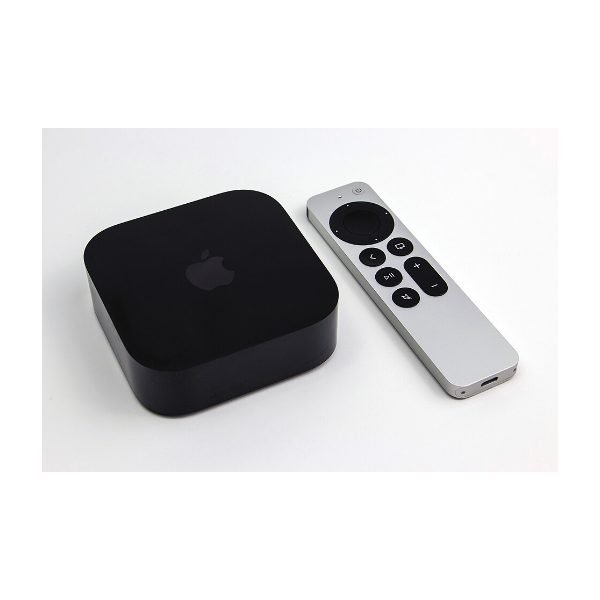
Photo: Dillan Payne / Wikimedia Commons, CC BY-SA 4.0
The Apple TV 4K (3rd Gen) is the streaming box reviewers most often call the best overall experience. It's very fast, its home screen is free of ads, and it supports 4K, Dolby Vision, HDR10+ and Dolby Atmos. iPhone owners get perks like quick sign-in, AirPlay and using the phone as a remote. The USB-C Siri Remote is easy to use. The Wi-Fi and Ethernet model also works as a Thread border router for smart home gear. It costs more than sticks, and you'll get the most from it with other Apple devices. For a premium setup, it's the best choice.
Pros
- Fast and smooth
- No ads on home screen
- Great with iPhone
Cons
- Pricier than sticks
- Best value for Apple users
Specs
| Resolution | 4K |
|---|---|
| HDR | Dolby Vision, HDR10+ |
| Audio | Dolby Atmos |
| Smart home | Thread border router (Ethernet model) |
Best for Google users

The Google TV Streamer replaced the Chromecast and moved to a set-top box design that sits next to your TV. Google TV is excellent at pulling shows from all your services into personalized recommendations. The box supports 4K, Dolby Vision and Dolby Atmos, includes an Ethernet port for steady connections, and works as a Matter and Thread hub. A smart home panel lets you control lights and see cameras from the couch. The remote has a find-my-remote button. It costs more than sticks, and the home screen has sponsored rows. Google ecosystem fans will feel at home.
Pros
- Excellent recommendations
- Ethernet port built in
- Matter and Thread hub
Cons
- Sponsored content on home screen
- Pricier than sticks
Specs
| Resolution | 4K |
|---|---|
| HDR | Dolby Vision, HDR10+ |
| Ethernet | Yes |
| Smart home | Matter and Thread hub |
Best budget streaming device
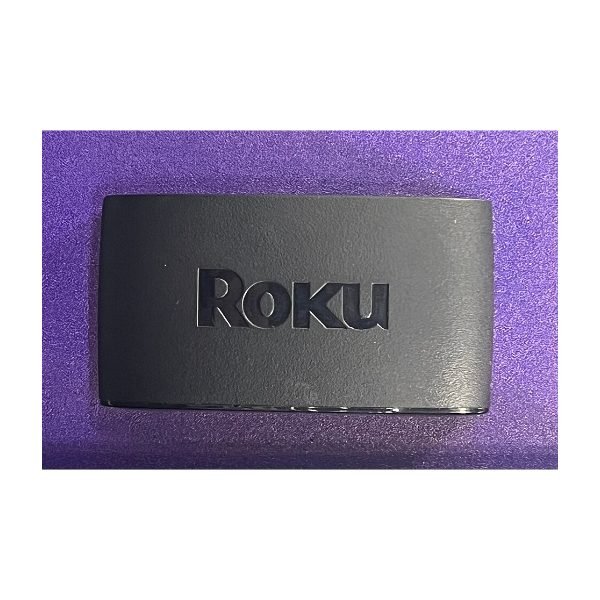
Photo: TaurusEmerald / Wikimedia Commons, CC BY-SA 4.0
If your TV is an older 1080p model or a bedroom set, the Roku Express covers the basics for about $30. It runs the same simple Roku software as pricier models, with access to every major app and free channels. Setup takes minutes, and it includes a basic remote and HDMI cable. It doesn't support 4K or HDR, and the included remote lacks voice control. Menus also feel slower than on the Streaming Stick 4K. For a guest room, a kitchen TV or a dorm, it does the job well for very little money.
Pros
- Very low price
- Simple Roku interface
- HDMI cable included
Cons
- HD only, no 4K
- Basic remote without voice
Specs
| Resolution | 1080p HD |
|---|---|
| Remote | Simple IR remote |
| Cable | HDMI included |
| Best for | Older or secondary TVs |
How we chose
We compared 12 streaming devices from the four major platforms. We researched resolution, HDR and audio format support, Wi-Fi standards and remote features, then read independent reviews for speed and usability. Owner feedback on retailer sites showed us common frustrations like ads, slowdowns and remote problems. We checked price history too, since these devices are discounted often during major sales.
What to look for when buying a streaming device
- Match your TV: A 4K TV deserves a 4K device. Check that it supports the HDR format your TV uses, like Dolby Vision or HDR10+.
- Ecosystem: Apple TV works best with iPhone. Fire TV fits Alexa homes. Google TV suits Android and Google Home users. Roku is the most neutral.
- Connection: Ethernet or newer Wi-Fi helps with buffering. Secure your network with our guide on how to secure home Wi-Fi.
- Remote: Voice search and TV power and volume buttons make everyday use easier.
Want a giant picture instead? See our best projectors. And for deals on streaming gear, check today's best deals.
Frequently asked questions
Do I need a streaming device if I have a smart TV?
Not always, but many smart TVs get slow or stop receiving app updates. A streaming device is a cheap way to get faster menus and long-term app support.
Do streaming devices charge a monthly fee?
No. The device is a one-time purchase. You still pay for any subscription services you use, like Netflix or Disney+.
Which streaming device has the fewest ads?
Apple TV 4K has the cleanest home screen. Roku, Fire TV and Google TV all include some ads or sponsored rows.